Replacing the Battery on a Timex Ironman Watch
Here's some things to remember.
- This information is provided only to show you how I did this...
- You might void your warranty. You probably already did just by thinking about opening your watch's case.
- If you're not careful, you could compromise the watertightness of the watch, or lose pieces, or accidentally inhale a spring, or something.
- This is not intended to encourage any such behavior on your part. Don't do this. Go away.
- OK, that been said, here's what I did!
Replacing the Battery
- First, open the case. On this particular Ironman, there are 4 screws.(fig 1). TAKE NOTE of how tight the screws are as you loosen them; they will need to be replaced with the same torque.
- Look at the sticker covering the battery, with vague instructions on how to reset the watch. Note carefully the orientation of the sticker, and in particular any arrow or triangle. This sticker will need to be replaced in the same orientation...some users take a digital photo of the sticker/watch for reference (thanks Tom Smith).
- Next, locate the All-Clear (AC) pad by looking along the triangle's direction. It is usually a small exposed solder pad on the circuit board of the watch. It may or may not be labelled 'AC'. (fig 2) Some users report that on some watches the AC pad is below part of the plastic frame, reachable through a small hole (thanks Larry Huffman).
- Carefully lift a corner of the sticker; it can then be grabbed with fingers. Pull carefully.(fig 2b)
- Unscrew the single screw on the battery holddown strap. (Remember that your Ironman model may be different: some clips can be released using a pin on the opposite side without removing the screw, some have 2 screws, some have a clip with no screws.) (fig 3)
- Lift up the battery strap. Drop in the new battery.(fig 4)
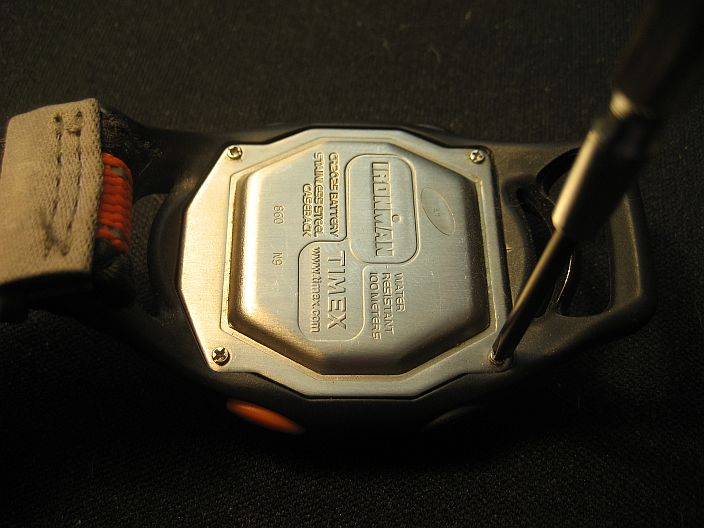 fig 1 |
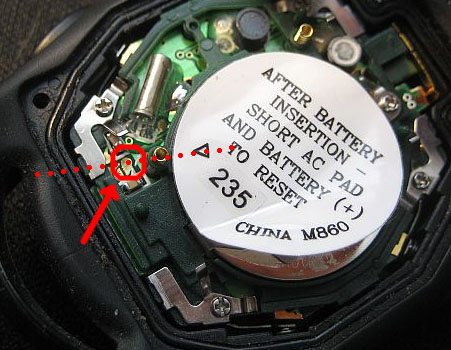 fig 2 |
|
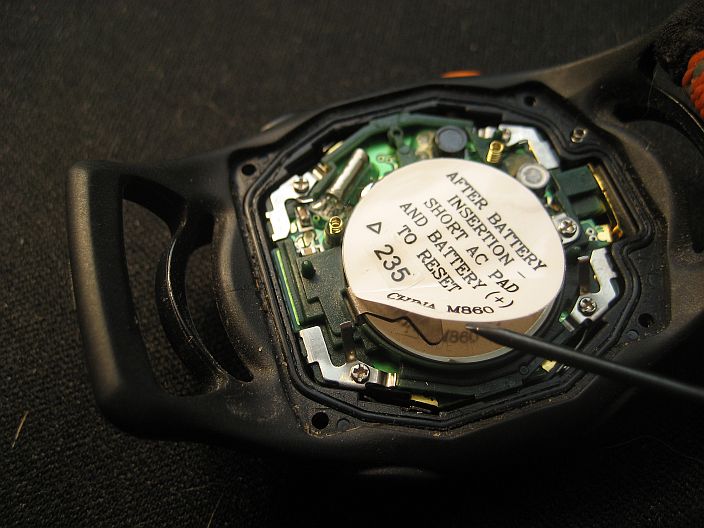 fig 2b |
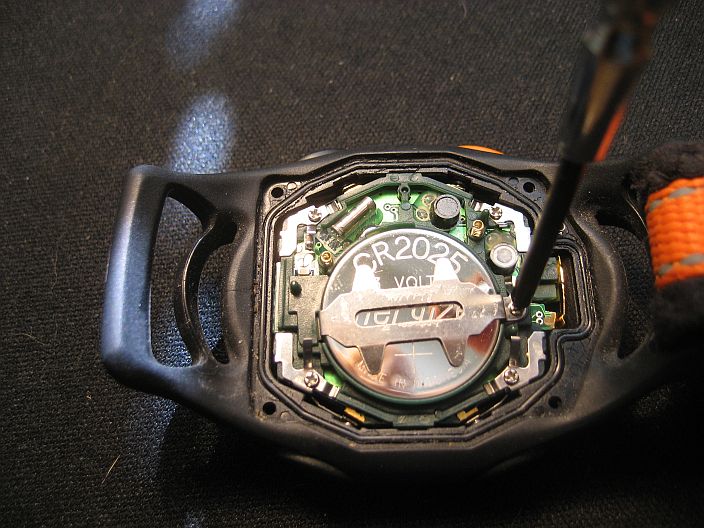 fig 3 |
|
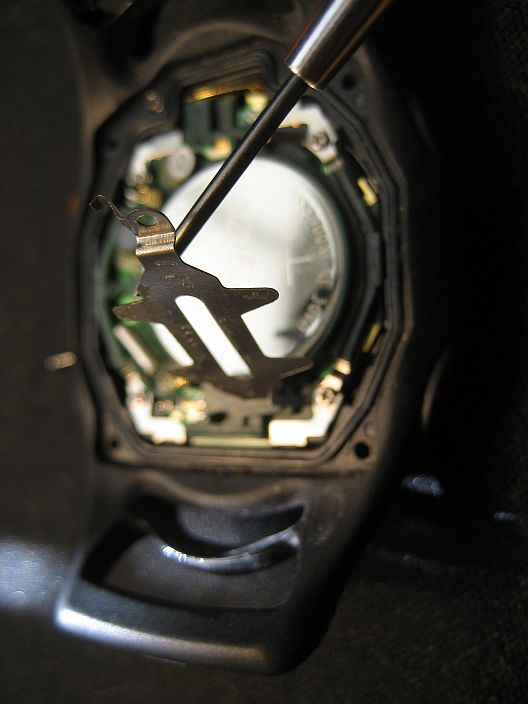 fig 4 |
Resetting the Watch
- The watch may now need to have its memory reset and cleared. Sometimes the watch will start running correctly on its own after the battery strap is replaced, but if the display is garbled or blank the reset often works. NOTE! Doing this incorrectly may damage the electronics of the watch! Do this only if the watch is not already running correctly.
- For this particular model, the sticker covering the battery indicates that resetting is accomplished by shorting the AC pad that was located earlier (see above) to the battery's (+) side. (This sticker says: "AFTER BATTERY INSERTION - SHORT AC PAD AND BATTERY (+) TO RESET".) This can be done by touching the pad and the top of the battery simultaneously with a pair of all-metal tweezers, or a paperclip. (fig 5,5b)
- When reset, the watch may temporarily display something other than the time - in this case the number '860006'. (fig 6)
- Shortly, the watch should start running at 12:00 (fig 7)
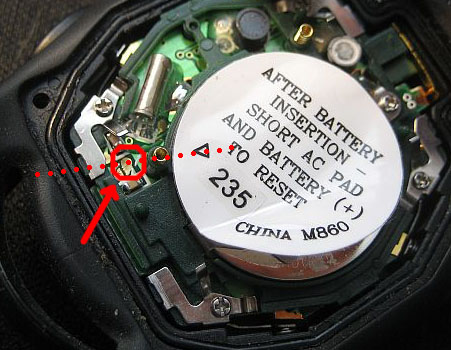 fig 5 |
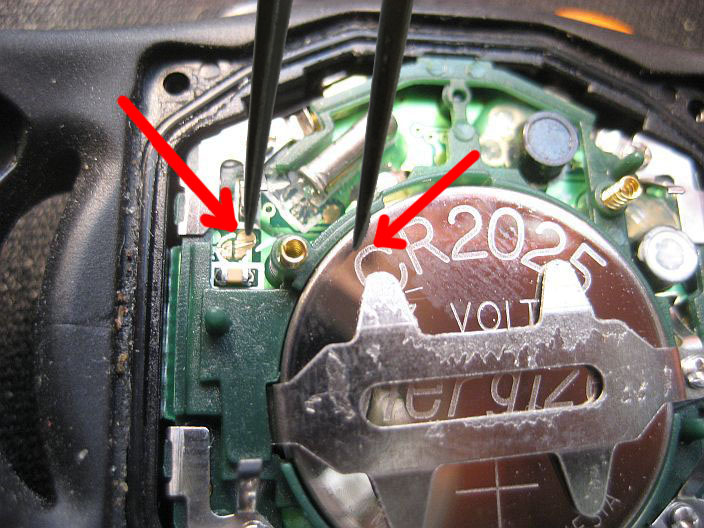 fig 5b |
|
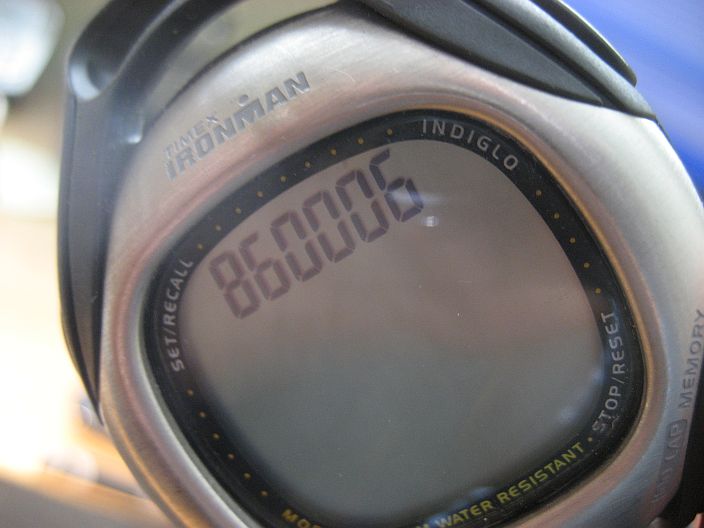 fig 6 |
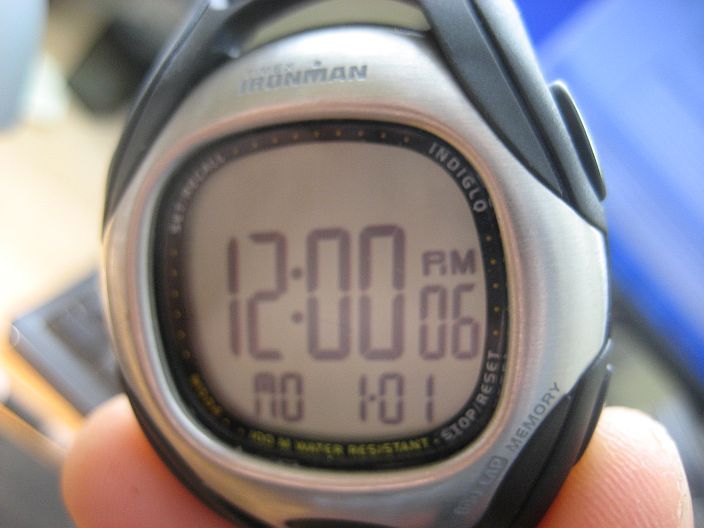 fig 7 |
Closing the Watch
- If the watch circuit board has come up out of the casing, it can be lowered back into the case by carefully pushing the spring contacts for the watch buttons inwards one by one, while gently pushing the board back down into the case. (fig 8)
- For any watch that is water-resistant, there is an O-ring with which the case back must make good contact. Any debris that has fallen either onto this O-ring OR inside of the case backing must be carefully removed. This can be done by swabbing with a lint-free swab, but note that this may remove grease which is used to ensure the seal. If you do this, you should consider replacing it with some grease that is appropriate for watch O-rings; the wrong type of grease may deteriorate the O-ring, the plastic, and/or the electronics. Replace the sticker in its original orientation.(fig 9)
- Screw down the backing evenly; this is done by replacing the screws in a star or cross pattern. First replace the screws without tightening, then rotate through the screws at least twice in the order shown (fig 10), tightening only a very little at a time until the original tightness has been reached.
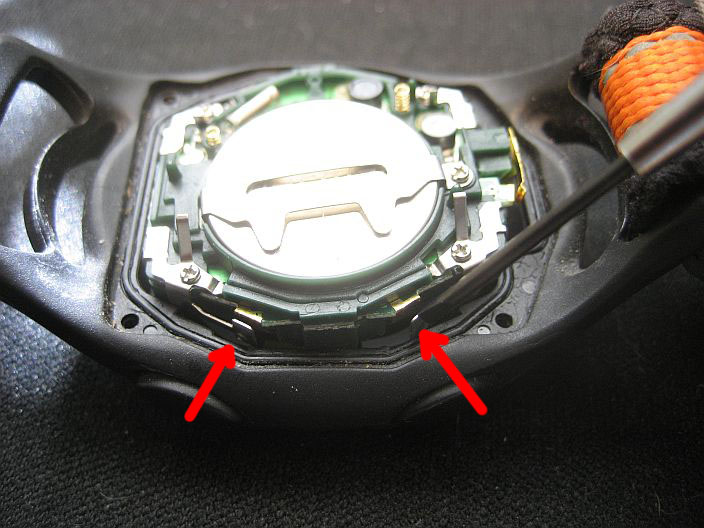 fig 8 |
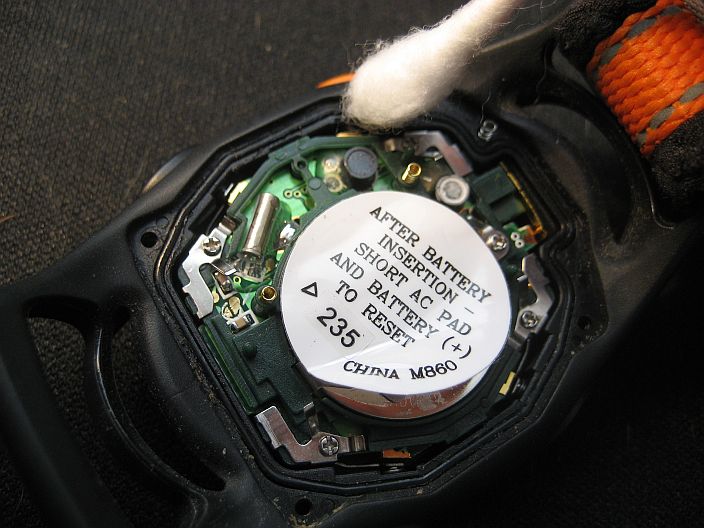 fig 9 |
|
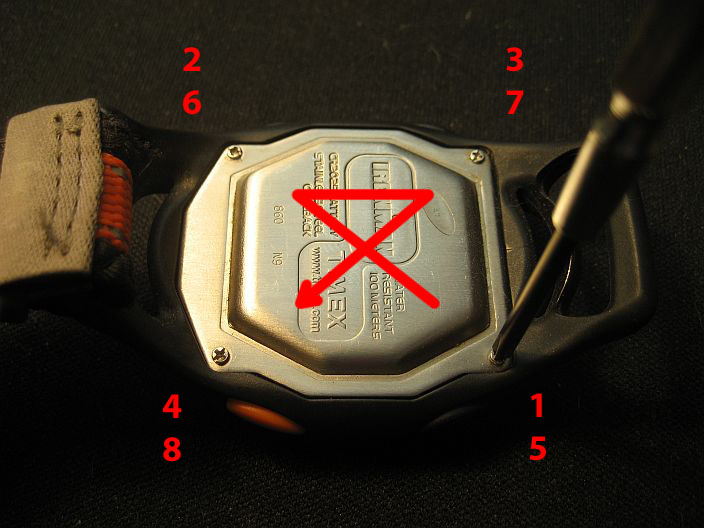 fig 10 |
